Visualize network
and move from d3 to networkx
Posted on December 30, 2024 at 10:00 AM
There was a webpage showing an interactive network built with the d3 library, the post was written about it.
A graph G=(V, E) consists of vertices(V) and edges(E). Each edge has the form of (Vi, Vj), which means vertices Vi and Vj are connected. If we oversee the meanings of individual vertices, a graph would emphasis the connections between vertices.
The source of the graph is the DBLP dataset, one of the well-known datasets for graphs. It contains records for publications in field of computer science. If we view an author as a vertex, each publication contributes to his connections with other co-authors. Ignoring the single-author publications, each publication will be expressed as a clique(a graph type where every vertex is connected to every other vertix). Authors who never collaborated with other authors cannot be a connected part in this graph, otherwise, the entire graph is a combination of cliques.
The unique shape of the DBLP dataset can be seen in the following picture, while the properties of this dataset remain to be explored (elsewhere). The post focused on the visualization part.
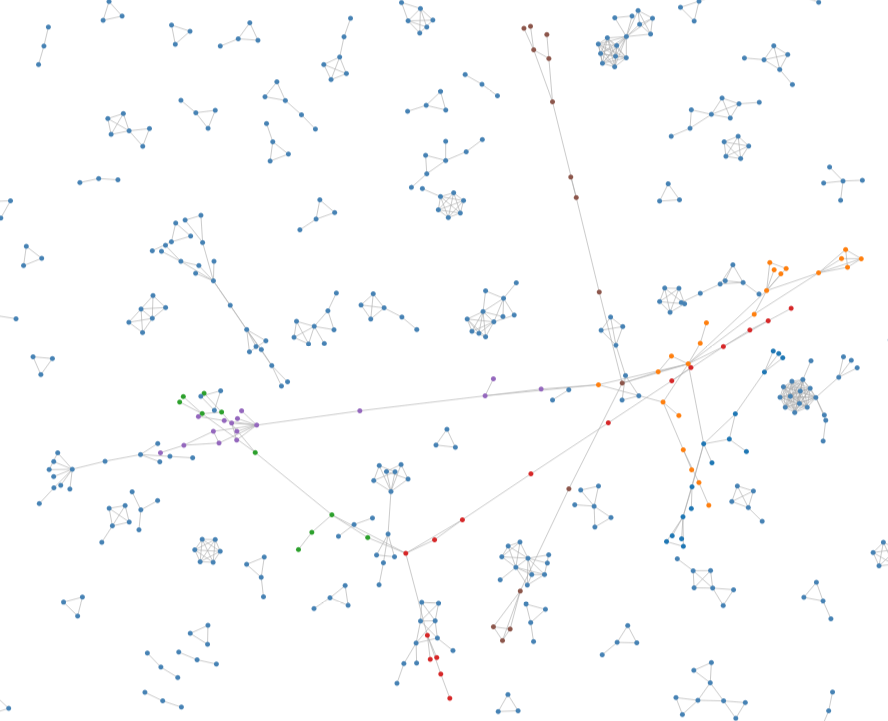
What I thought interesting is using force calculation from the d3 library to separate the nodes(vertices) and creating a graph out of relational data, then the possibility of retrieving the positional information.
The following is another picture with narrowed distance, more data points can be seen.
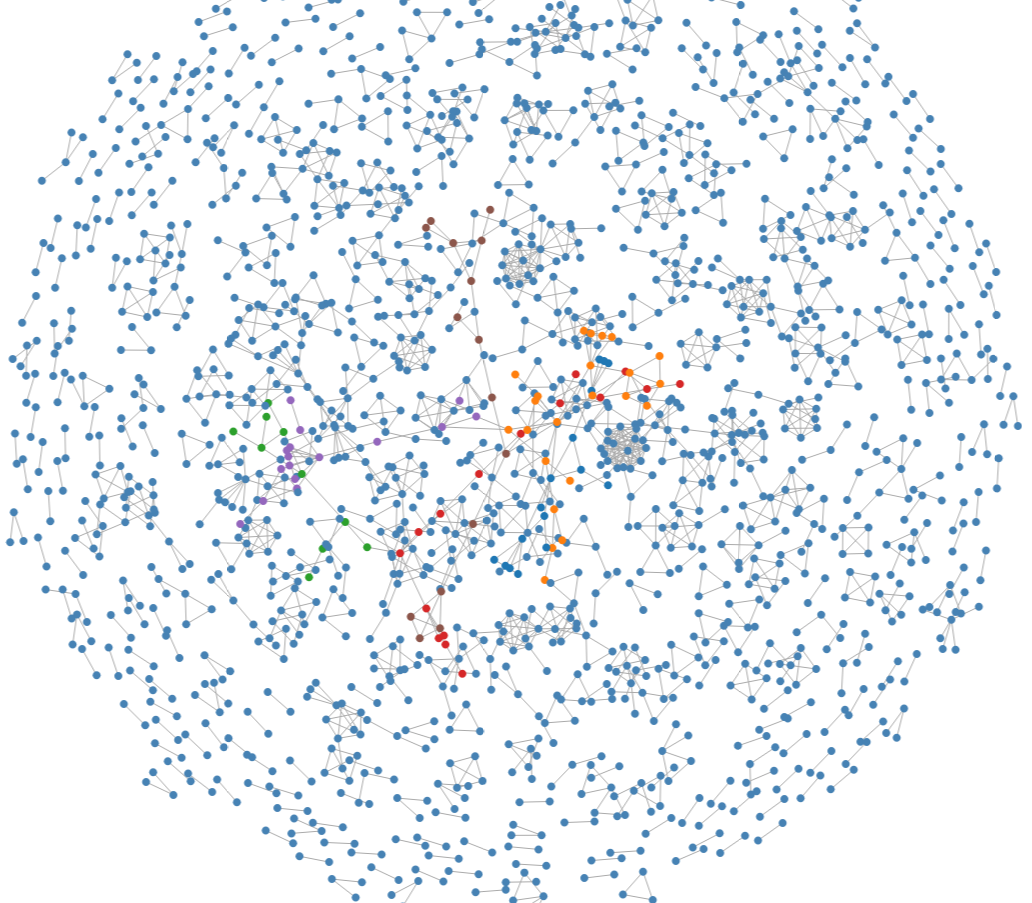
From above, different levels of details can be seen and we may have realised the challenge of visualization. One could be the level of structures, it's hard to predict wether the whole or the details would be more desired. Another challenge is really the amount of data. We are looking at a chunk of data, do we really have an assumption in mind what are we searching for?
The color in this picture is a result of Girvan-Newman algorithmen, but bringing meanings to data should be more subtle than just running the algorithmen.
Dots Positions
The d3 library is used.
The idea is, since the only information we have is the structure, -- we know how the nodes are connected but not their respective positions -- we could treat the nodes as equally distributed. Three kinds of forces are applied to nodes: linking, repulsion and attracting to center. The code is take from d3 example gallery and there is more explanation available.
var simulation =
  d3.forceSimulation(data.nodes)// Force algorithm is applied to data.nodes
    .force("link", d3.forceLink()// This force provides links between nodes
                      .id(function(d) { return d.id; })// This provide  the id of a node
                      .links(data.links)// and this the list of links
           )
    .force("charge", d3.forceManyBody().strength(-1))
    // This adds repulsion between nodes. Play with the -400 for the repulsion strength
    .force("center", d3.forceCenter(width / 2, height / 2))
    // This force attracts nodes to the center of the svg area
    .on("end", ticked);
To make further manipulation of generated SVG objects easier, the code provided two help functions: download svg and download objects as json file:
function downloadSVG() {...}
    function writeout(){...}
I used to rely on these functions to make graphs independent from the generation method.
With the svg data, the whole graph can be redrawn without using the force simulation mechanism, because now the positions of nodes are explicitly given. So the code worked as two parts: first, draw the graph with force simulation; second, re-construct the graph from svg data.
"nodes": [
      {
        "id": 412254,
        "index": 0,
        "x": 535.8451066026655,
        "y": 621.6666512669991,
        "vy": 0.0005781981313164831,
        "vx": -0.0008800473515532542
      }...],
      "links": [
      {
        "source": {
          "id": 412254,
          "index": 0,
          "x": 535.8451066026655,
          "y": 621.6666512669991,
          "vy": 0.0005781981313164831,
          "vx": -0.0008800473515532542
        },
        "target": {
          "id": 59003,
          "index": 1,
          "x": 512.9017164211195,
          "y": 641.699793464446,
          "vy": 0.00061863899039806,
          "vx": -0.0008254568590203448
        },
      "index": 0
      },...]
That's what I wanted to share after having the block of dots.
No comments yet. Be the first to share your thoughts!
Leave a Comment